The terminal
Every keystroke and every line of output.
The App connects straight to your computer.
We are not on this path, so there is nothing for us to see.
Know the moment an agent is blocked or done.Answer it in a real terminal, right from your phone.Only your phone can read the alert.
herdr sees the agent block. Your computer seals the alert for this phone only.
pocketty opens that exact Pane, straight over SSH. No server in between.
Return, Esc, Ctrl and the arrows. The agent gets real keystrokes.
Swipe in from the edge for the turn's diff. Only what the agent changed since it started.
Text mode sends a whole message at once. Dictation and images work too.
Go back for every Pane on the host. Each agent shows its state, live.
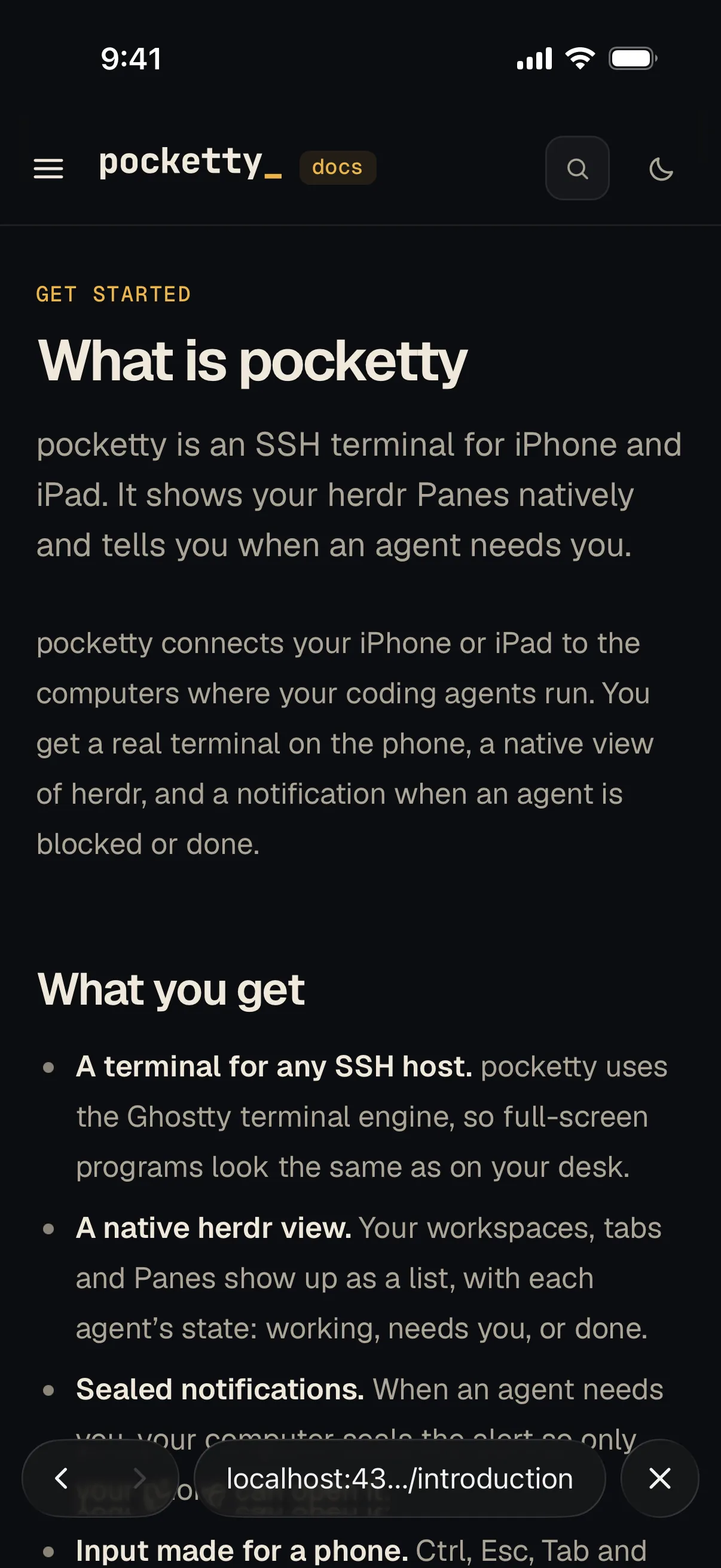
When a Pane opens a port, pocketty offers a preview. When you close it, you are in that Pane.
Lock the phone. When the agent finishes, pocketty tells you.
Straight from the iOS simulator, not a mockup.
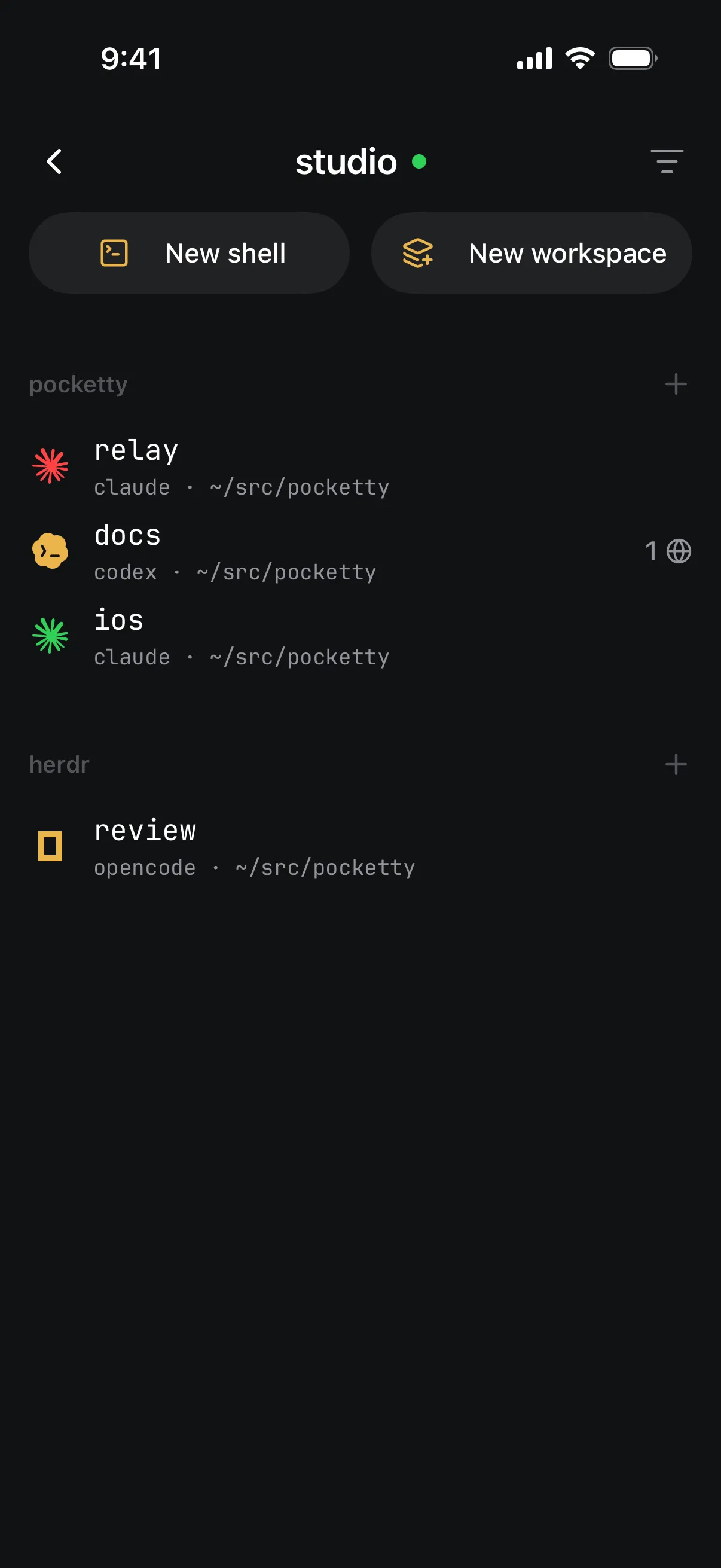 Your agentsherdr workspaces and tabs,
with each agent's live state.
Your agentsherdr workspaces and tabs,
with each agent's live state.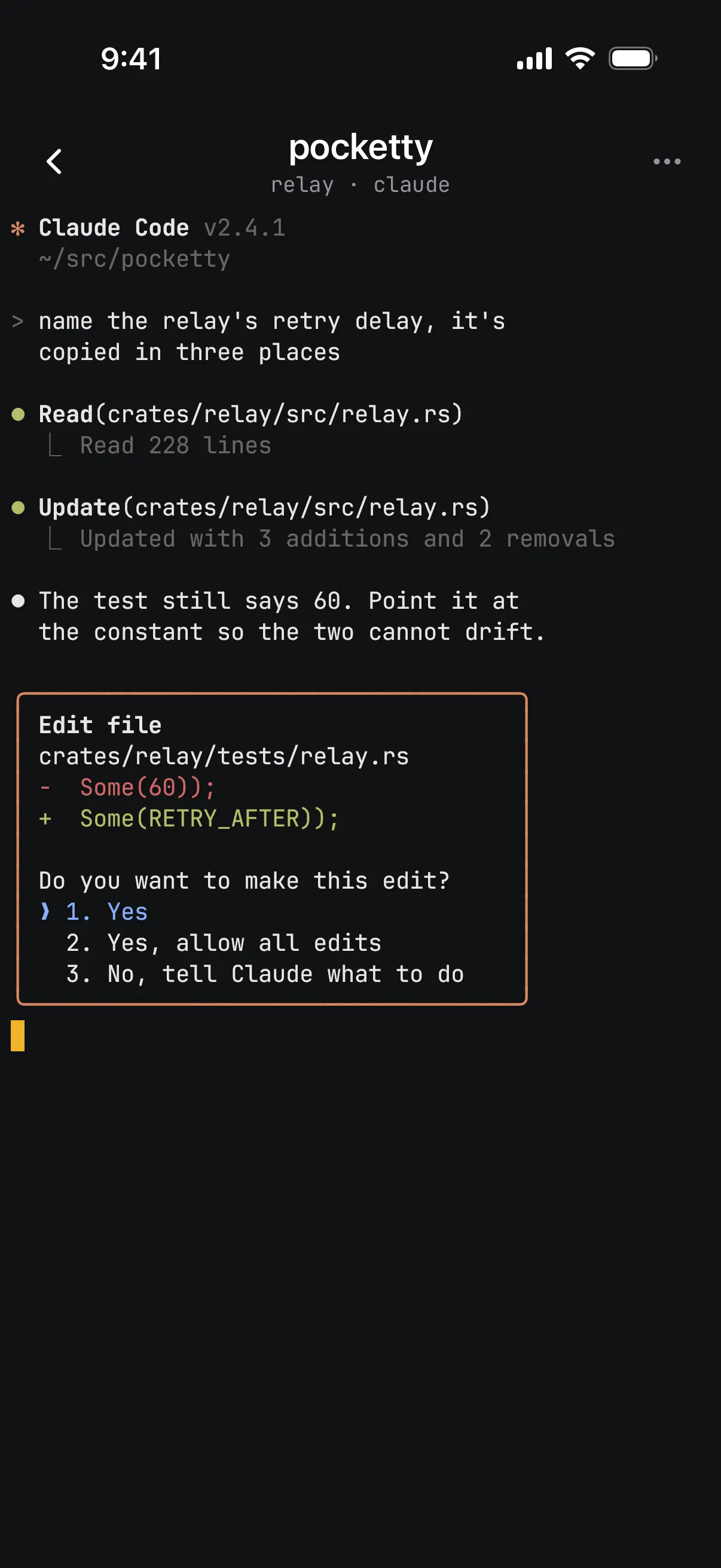 The PaneOne Pane, full screen,
at your phone's size.
The PaneOne Pane, full screen,
at your phone's size.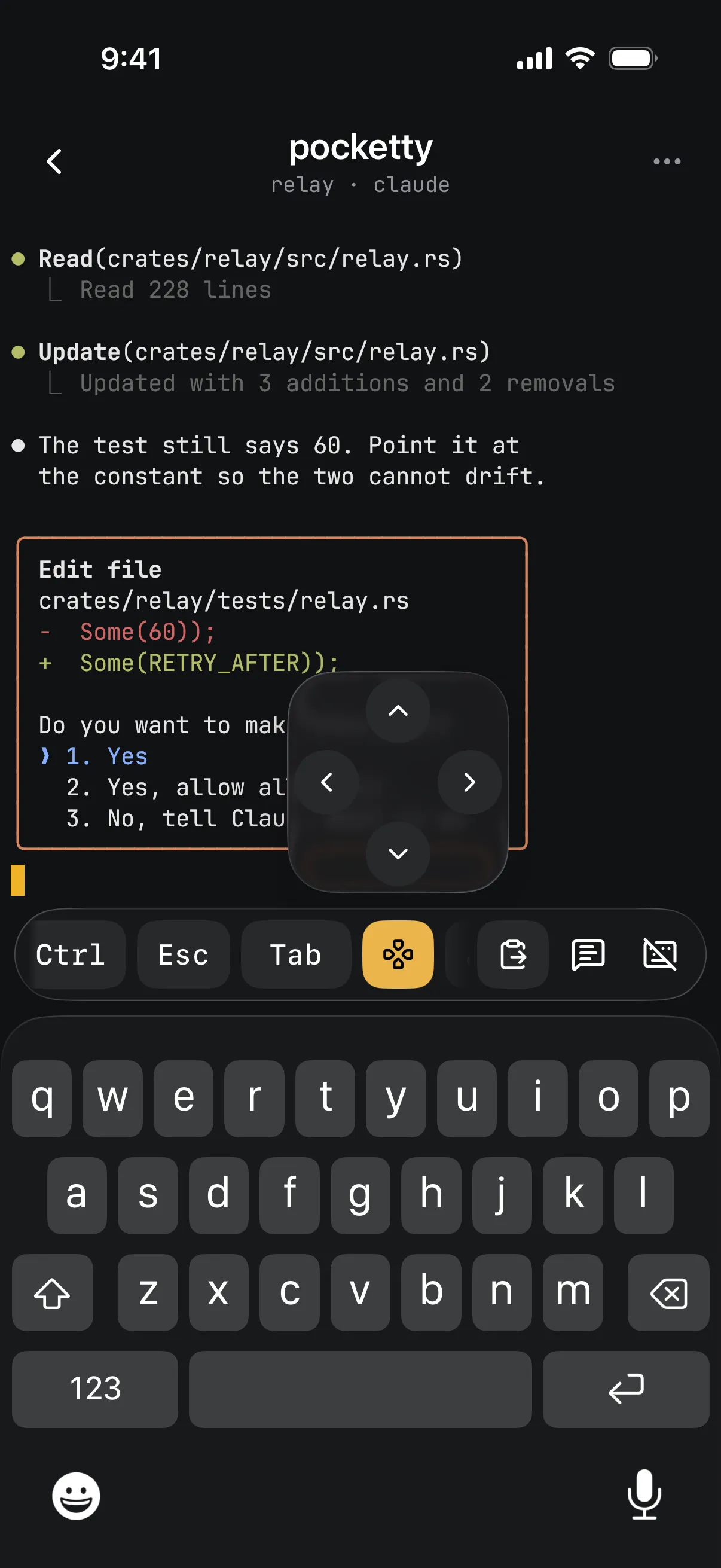 Real keysCtrl, Esc, Tab, a d-pad and symbols,
right above the keyboard.
Real keysCtrl, Esc, Tab, a d-pad and symbols,
right above the keyboard.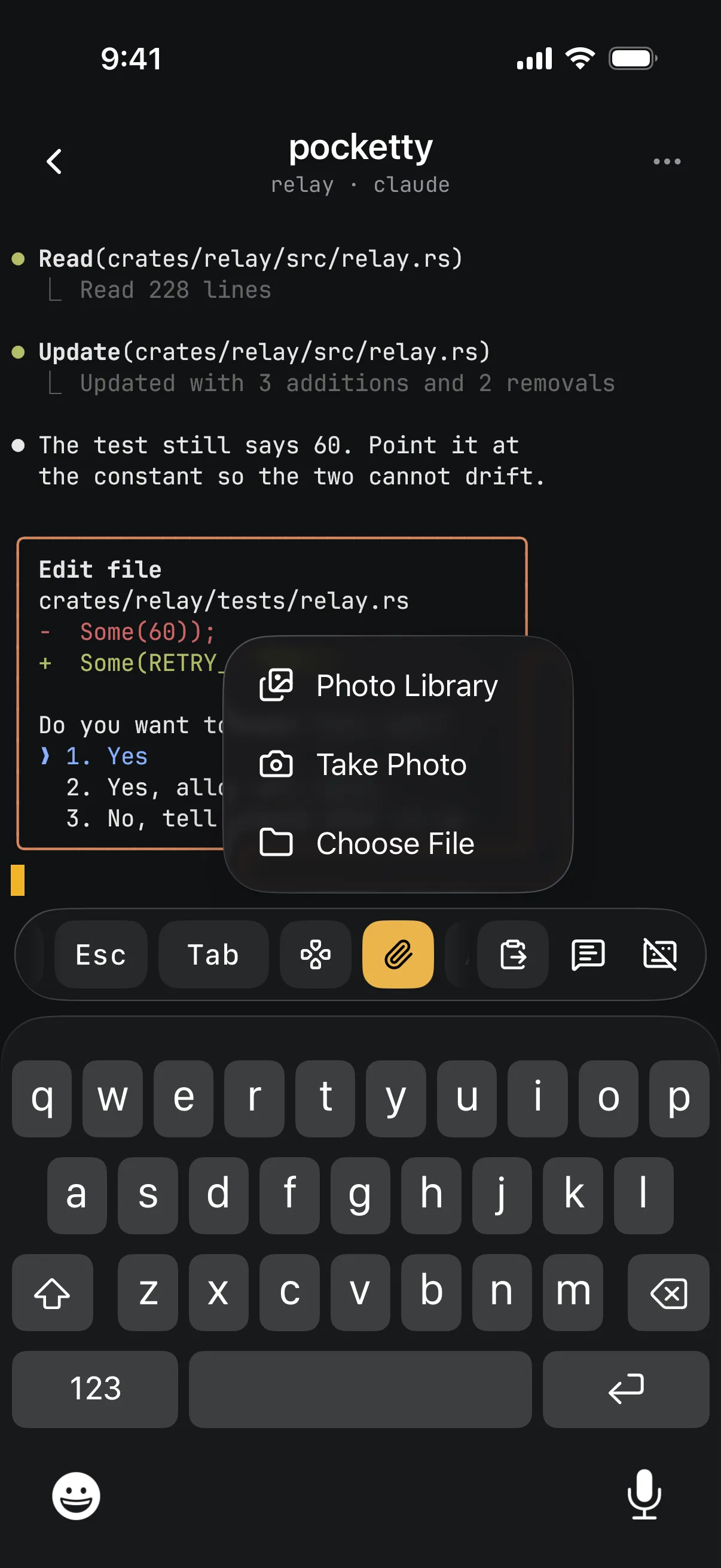 Files and photosAttach from Photos, the camera or Files.
The path is typed for you.
Files and photosAttach from Photos, the camera or Files.
The path is typed for you.pocketty speaks herdr's own API.
Your workspaces and tabs show up as a native list.
Each agent shows its state: working, needs you, or done.
Open any Pane full screen, at phone size. Lock the phone, and your desk gets it back.
Start a tab or a workspace. Rename a tab, or swipe a Pane away.
pocketty reads agent state from herdr. It never edits an agent's config files.
No herdr? You get a normal login shell. Or tmux and zellij, with a startup command.
Works with every agent herdr knows, including
Check a diff, read a file, or open the dev server.
All from the Pane where the agent works.
The daemon snapshots the worktree each time an agent starts work.
So you see what this turn changed, not everything at once.
Turn and session diffs need the daemon on the host.
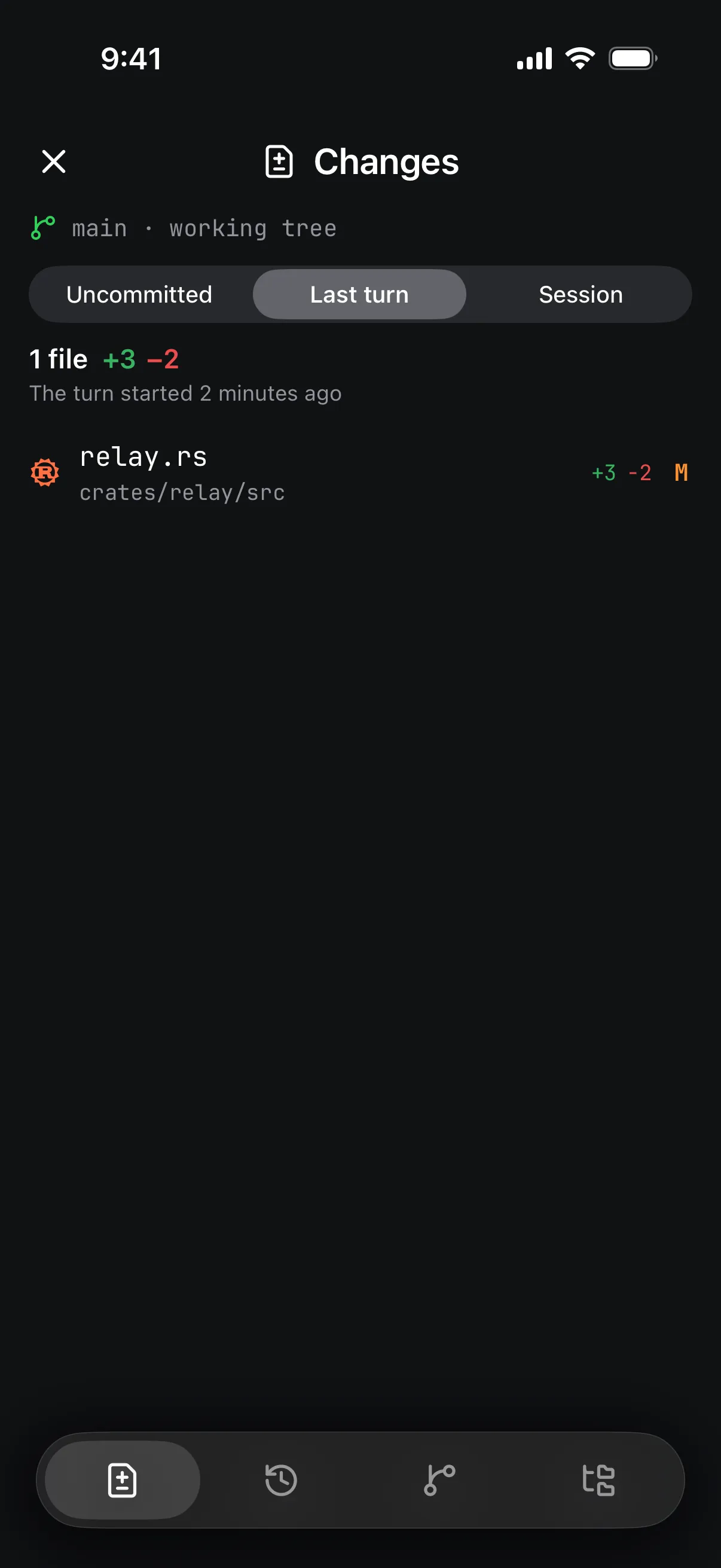
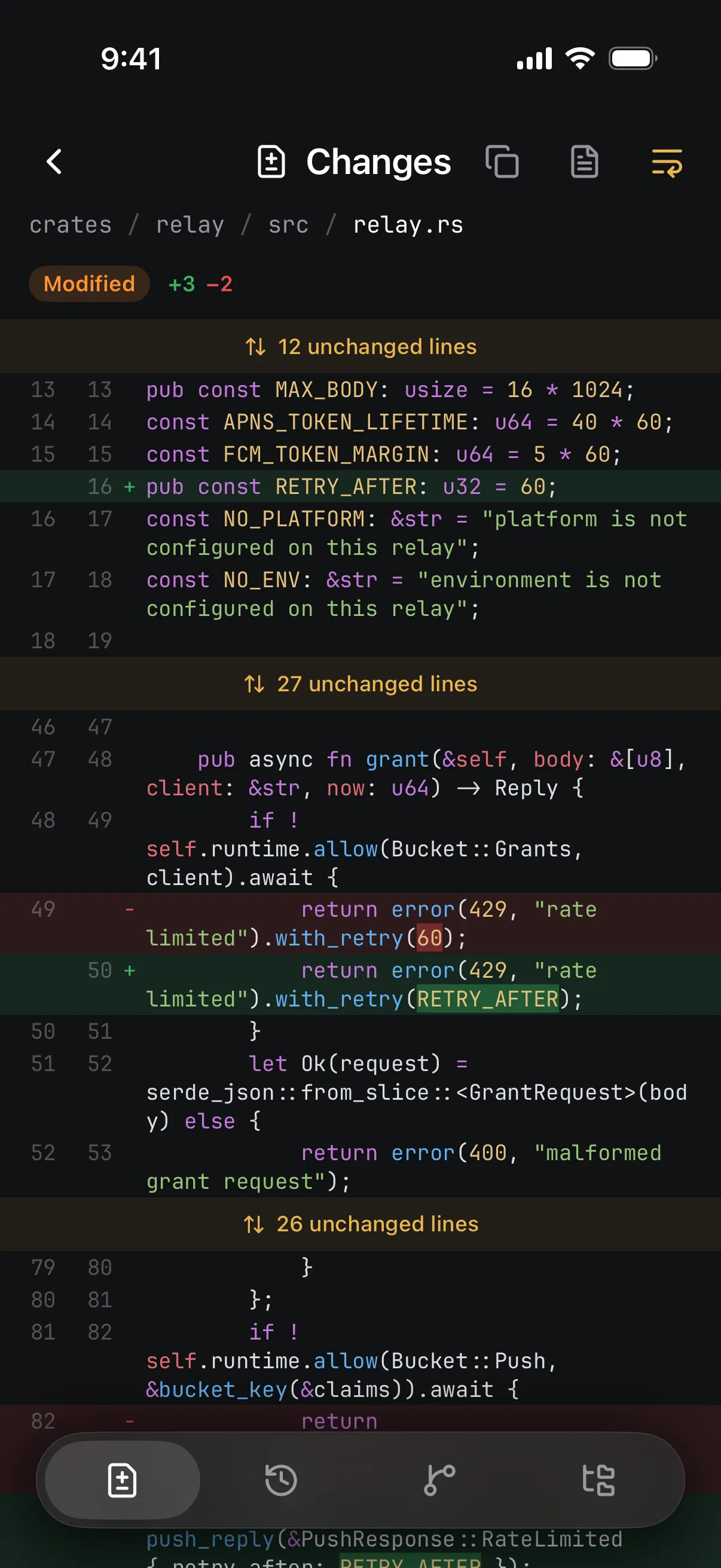
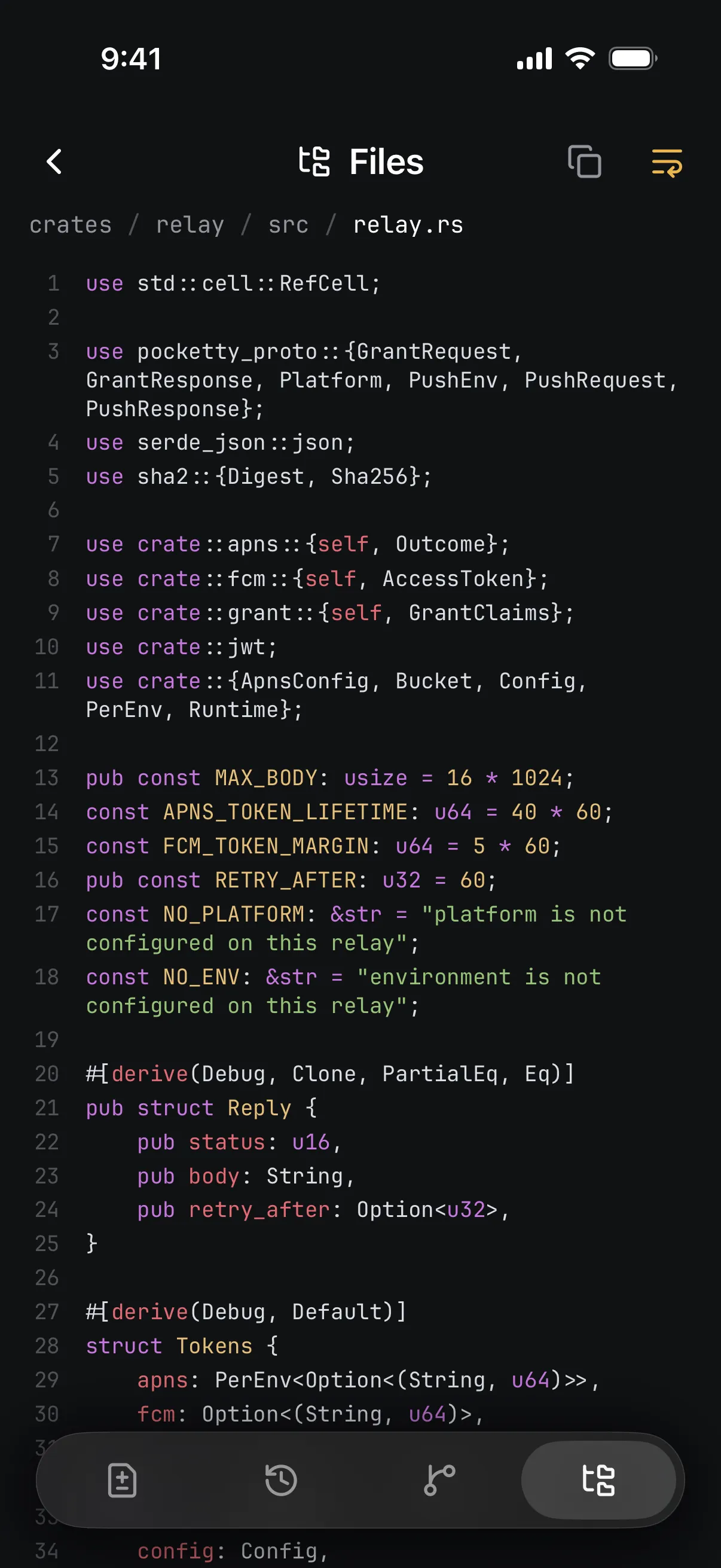
Browse and search the worktree of any Pane. Code shows in color, in 20 color schemes.
When a Pane opens a port, pocketty offers a preview. The page loads through your SSH connection. No tunnel to set up.
Your terminal never touches our servers.
We only pass along agent notifications, if you turn them on.
And we can't read those.
Every keystroke and every line of output.
The App connects straight to your computer.
We are not on this path, so there is nothing for us to see.
The short alert when an agent is blocked or done.
Writes the alert. Never Pane text. Seals it with your phone's key.
Passes the sealed bytes to Apple. Can't open them. Keeps nothing.
Delivers them to your phone. Sees only “Agent update”.
Opens the seal on the phone. Checks which computer sent it.
Notifications off? Then the App only ever talks to your own computers.
Your SSH key is made in the Secure Enclave. Face ID can guard the App, too.
A changed host key stops the connection. pocketty asks before it trusts the new one.
Seals use HPKE in auth mode. An alert from anyone else won't open.
The App has no sign-up, no email and no analytics. There is nothing to sign in to.
pocketty runs Ghostty's terminal engine, drawn with Metal.
Agents, editors and TUIs look the way they do on your desk.
Ctrl, Alt, Esc, Tab, arrows, and the symbols phones hide.
Hold a key to repeat it.
Text mode sends a whole message at once.
Dictate it, paste screenshots, send.
~ $ ~/.cache/pocketty/uploads/paste-3f2a.pngPick from Photos, the camera or Files.
pocketty uploads it and types the path.
Hold to select, then drag the handles.
Swipe to scroll. Pinch to resize.
Every Nerd Font. JetBrains Mono is built in.
Prompt icons draw. Ligatures switch off.
Hardware keyboards and the kitty keyboard protocol.
OSC 52: copy on the computer, paste on the phone.
No keys to copy around.
You approve your phone on the computer itself, with a code.
One small binary, running as you. It writes only to its own folder.
$ curl -fsSL https://pocketty.work/install.sh | shOn the same Wi-Fi, your computers show up by themselves. After that, Tailscale reaches them from anywhere.
Your phone shows six digits. Your Mac asks for them. Your key goes in, and the host key is pinned.
Any SSH server works without the daemon, too.
pocketty gives you a one-line setup command.
pocketty checks the link every five seconds.
If it drops, pocketty reconnects by itself.
Plain SSH means no version mismatches.
Moshi does more: Mosh, Apple Watch, Live Activities, a chat view.
pocketty does less, on purpose.
Your agents' words stay off other people's servers.
| Feature | pocketty | Moshi |
|---|---|---|
| Price | Yes: Free for 14 days. Then one payment in $POCKETTY, with every update. | Free tier. Pro is $9.99 a month, $89.99 a year, or $199 lifetime ($249 in the App Store). |
| What a notification carries | Yes: Agent, state, computer, workspace and tab, sealed on your computer with HPKE. Never Pane text. | No: moshi-hook sends titles, messages, the prompt (up to 200 characters) and the command to approve (up to 256) to Moshi's server. |
| Who can read it | Yes: Only your phone. Our relay and Apple see ciphertext. | No: Moshi's server, which caches inbox events for up to 24 hours. Banners go through Expo Push. |
| herdr | Yes: Native Pane view over herdr's own API, with live agent state. Included. | Partly: Session picker and attach are Pro. Chat View needs moshi-hook. |
| How it learns agent state | Yes: From herdr. Nothing is installed into your agents. | Partly: moshi-hook writes hooks into each supported agent's config files. |
| Diffs | Yes: The last agent turn, the whole session, or since the last commit | Partly: Uncommitted changes only, side by side. Pro, with moshi-hook. |
| Matching versions | Yes: Never needed. App and daemon update in any order. | Partly: The App flags an out-of-date moshi-hook. Desktop needs hook 0.3.1 or later. |
See all 26 rows, with sources Moshi facts checked on October 2, 2026.
pocketty is paid for with $POCKETTY. One payment, no card, no subscription. The same token settles the notification relay, and the people who run those relays stake it to earn the fees.
It launches on Solana. Coming soon — no presale, no private round, no team allocation.
The address is published here first. The copy button unlocks the moment the mint is live.
Free for 14 days, with everything. Then one payment in $POCKETTY. The token launches on Solana soon.
No subscription. No account. No ads. Paid in $POCKETTY.
Everything works for 14 days, from your first connection. Then one payment in $POCKETTY keeps it. Nothing is charged when the trial ends.
No. pocketty works with any computer you reach over SSH. herdr adds the native Pane view and agent notifications.
It is the path we recommend. It gives each computer an address that works anywhere, and code setup needs it. Any SSH server you can reach works too.
Nothing, for a plain shell. Install the pocketty daemon for agent notifications and code setup.
No. Your computer seals each one so only your phone can open it. Our relay passes the sealed bytes to Apple, and keeps nothing.
SSH is already on every computer. Over Tailscale the address never changes, and pocketty reconnects in a moment. One protocol also means no version mismatches.
Not yet. pocketty is for iPhone and iPad today.
pocketty for iPhone and iPad.
Free for 14 days, then one payment in $POCKETTY.